Give the kids a page starring your family or friends—with mountains, beaches and more to color. No drawing skills needed. Just upload, print and enjoy it together.
Private results. No photo training. Download your page within 24 hours.
01
Who is in your photo?
1 free try in this browser. No code, account or payment needed. Sign in / membership
You get 1 try total in this browser during the test. Previously used tries count toward this allowance. Shared-network limits also apply. Return in this same browser to find your page; clearing cookies loses access.
One photo makes one page with a background from eight settings. Backgrounds rotate, but repeats are possible. After your free try, additional pages require a paid membership.
02
Choose one clear portrait
One person per photo. Face clearly visible.
Use a sharp head-and-shoulders portrait in good lighting.
Show the full face, hair and chin; face toward the camera.
No group shots, distant faces, blur, sunglasses or heavy filters.
Use a recent photo at least 768 × 768 pixels.
We change the setting while aiming to keep the same people, positions and expressions. Clear close-up faces work best; likeness is not guaranteed.
Selecting a photo is local. Uploading begins only when you press the button below.
Secure payment through Stripe. Your price and renewal terms are shown before you pay.
Also included: watercolor keepsakes (beta). Use 1 of your existing monthly pages for a colored painting of your photo instead of a coloring page. The pose, clothes and setting stay the same. Both styles share one free try and the same 100-page monthly allowance; this is not 100 extra images.
All prices are in USD. The introductory offer is available once per customer to the first 100 eligible subscribers; the regular price is $9.99/month for 100 pages. Cancel before your next renewal. This MVP changes the background while aiming to preserve the people, clothing and pose. Exact likeness, new outfits or actions, and multi-page books are not included. Current outputs are 768 × 768 pixels; printing does not increase resolution.
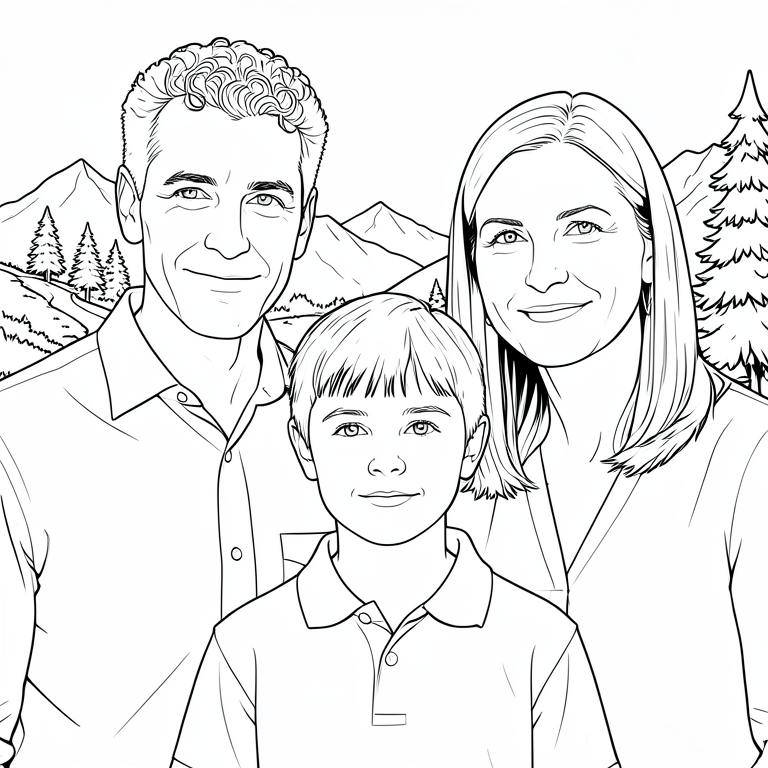
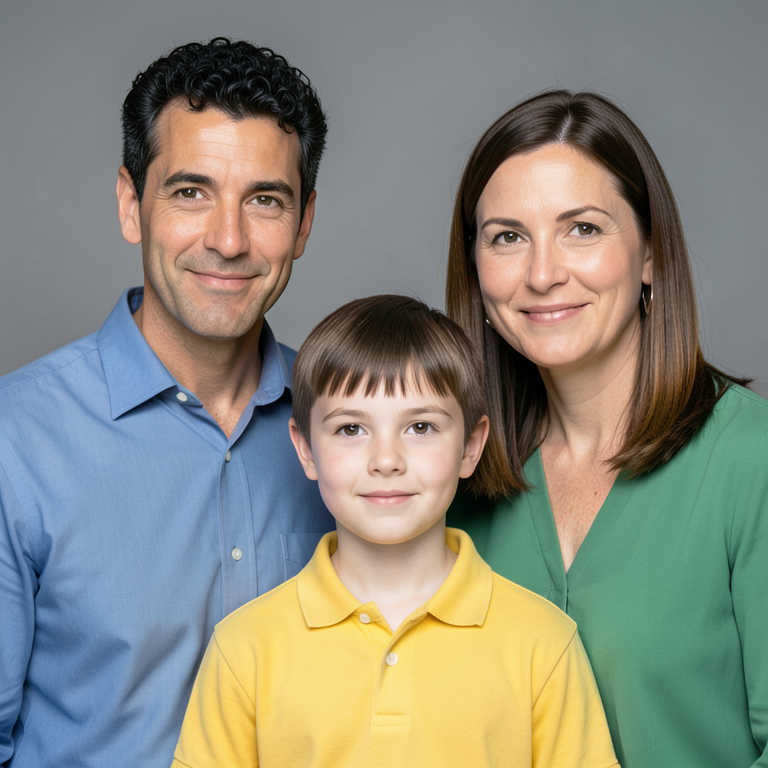
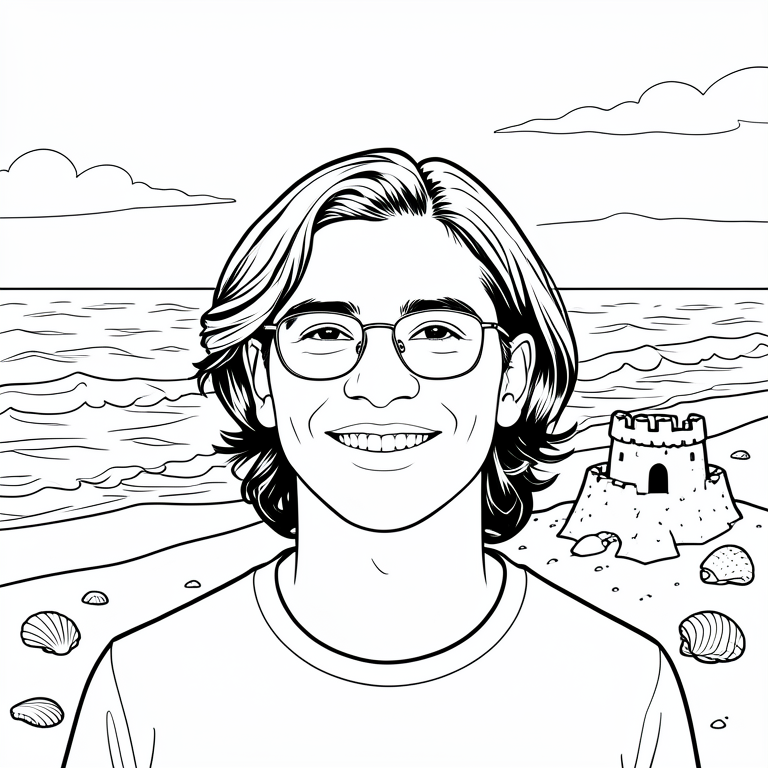
Compare the source image with the coloring page. These are actual, unretouched outputs from earlier Vistuma scenery tests using fictional, AI-created people—not customer photos. They show the style and its limitations, not a guarantee of your result.
The group stays together in a similar arrangement. Facial details and proportions can change; group photos are less reliable than close-up portraits.
What you get in this test
One uploaded photo makes one black-and-white page.
A surprise background from eight rotating settings. Repeats are possible.
A 768 × 768 PNG to download, plus Print / save PDF. Best for small, casual prints—not a high-resolution book.
What to know before trying
Use one clear portrait or one close-up group photo with 2–4 people.
This version mainly changes the scenery. New outfits, poses and actions are not reliably supported.
It does not combine people from separate photos or guarantee an exact facial match. Check every face and detail before printing.
A DIFFERENT SETTING TO COLOR
From mountain trails to a day at the beach.
The people stay in a similar pose and outfit. The background brings new details for little hands to color.
Mountains
Beach
Zoo
Forest
Desert
Garden
Space exhibit
Castle gardens
Settings rotate automatically. Repeats are possible; this version does not offer scene selection.
AN ACTIVITY TO SHARE
Less screen time. More family time.
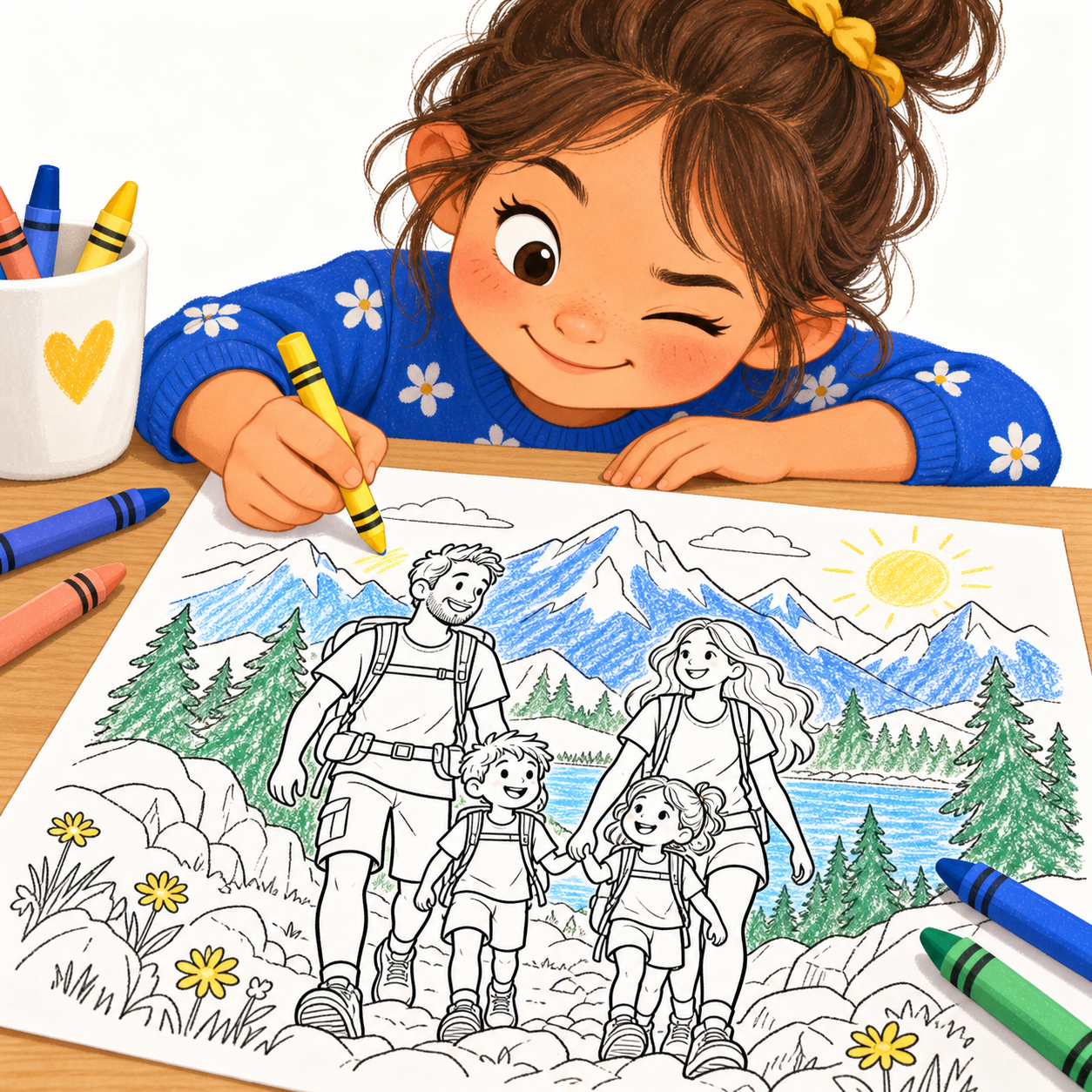
Print a page for a quiet afternoon, a family visit or a rainy day. Let the kids choose the colors while you talk about places you’ve been—or places you’d love to go.
Upload one clear portrait or one close-up group photo, confirm permission and complete human verification. Vistuma creates a black-and-white coloring page with a rotating background. Download the PNG or use Print / save PDF. The studio shows current availability before you submit.
Can I use a family photo with two children?+
Yes. The group option supports 2–4 people together in one photo, such as two adults and two children. Keep everyone close to the camera with each face clear. This version does not combine separate photos.
Will it keep our faces, clothes and poses?+
Vistuma aims to keep the people recognizable while changing the scenery. Close-up portraits work best. Facial details, proportions and clothing can change, especially in group photos. Exact likeness, different actions and new outfits are not guaranteed. Review the examples before trying.
Can I choose a mountain, beach or other background?+
This version rotates automatically among eight settings: mountains, beach, zoo, forest, desert, garden, space exhibit and castle gardens. Repeats are possible. Choosing a particular setting is not currently included.
How much does Vistuma cost?+
The free test offers 1 total try per browser while testing is open, subject to shared-network and capacity limits. Previously used tries count toward this allowance. The introductory offer for the first 100 eligible subscribers is $4.99 per month for 3 months, then $9.99 per month, with 100 pages per billing month and no rollover. Prices are in USD. Membership requires a separate checkout; creating an account does not charge you.
Can I print the coloring pages at home?+
Yes. Download the PNG or use Print / save PDF. Current outputs are 768 × 768 pixels, best for small casual coloring prints. Choose Fit in your printer settings and leave margins. Printing or saving as PDF does not add resolution; these are not high-resolution book files.
Are my photos private or used to train a model?+
Your uploaded photos and results are private to your browser session and are not used for model training or public examples. Temporary copies are stored to process the image. Input copies are removed after processing; results and job records expire within 24 hours of submission, with a short cleanup interval. Cleanup can be delayed if a computer is offline. See the privacy page for details.
Is this AI-generated or hand-drawn?+
Vistuma uses automated image generation to turn your photo into coloring artwork. It is not a hand-drawn commission. Some details may look different or need checking before you print. The public before-and-after examples use fictional people, not customer photos.
How long will my page take?+
Accepted jobs enter a queue and run one at a time. The page shows whether your job is queued, creating or ready. Processing time depends on demand and availability; there is no instant or same-day completion guarantee.
MADE FOR FAMILY COLORING TIME
A familiar face. A fresh box of crayons.
Vistuma turns your photos into personalized coloring pages. Download your page or choose Print / save PDF. Please tell us whether the faces look right and whether your kids enjoyed coloring it.
1 free try during open testing. No payment or subscription is started automatically. Your photos and pages stay private and are not used for training. Download your page within 24 hours before it expires.